Faster Scanning Engine
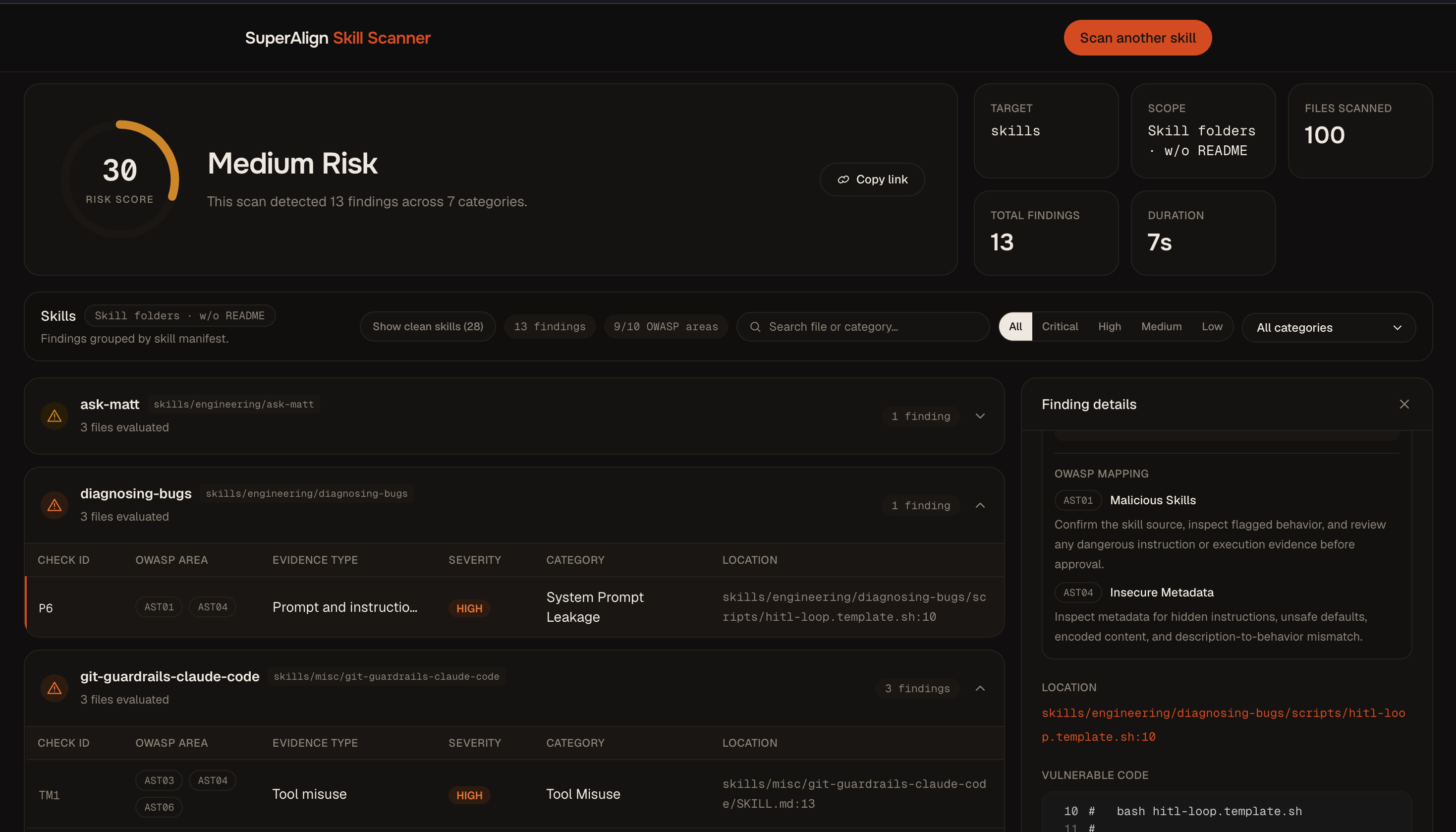
The scanning engine has been rebuilt around the Aho-Corasick algorithm, which checks a file against the entire rule catalog in a single pass instead of one rule at a time. Deeper code analysis now looks at how a skill’s code actually behaves — not just which words appear in it — so legitimate code that happens to mention a risky command no longer trips false alarms. A repository of 38 skills scans end to end in about 8 seconds.
Cleaner results
Results organized by skill. Scan results now answer the question you actually have: which skill in this repository is the problem? Findings are grouped by skill, each with its own file and finding counts, and the summary shows total files scanned, scan time, and OWASP coverage at a glance.
See what passed, too. A “Show clean skills” toggle lists every skill in the repository that came back with zero findings — so a repository review shows what’s safe, not just what isn’t.
A clearer verdict. We’ve simplified how results are judged: each scan now gives you a single risk score and an install recommendation, with findings you can filter by severity, filter by category, or search by file.